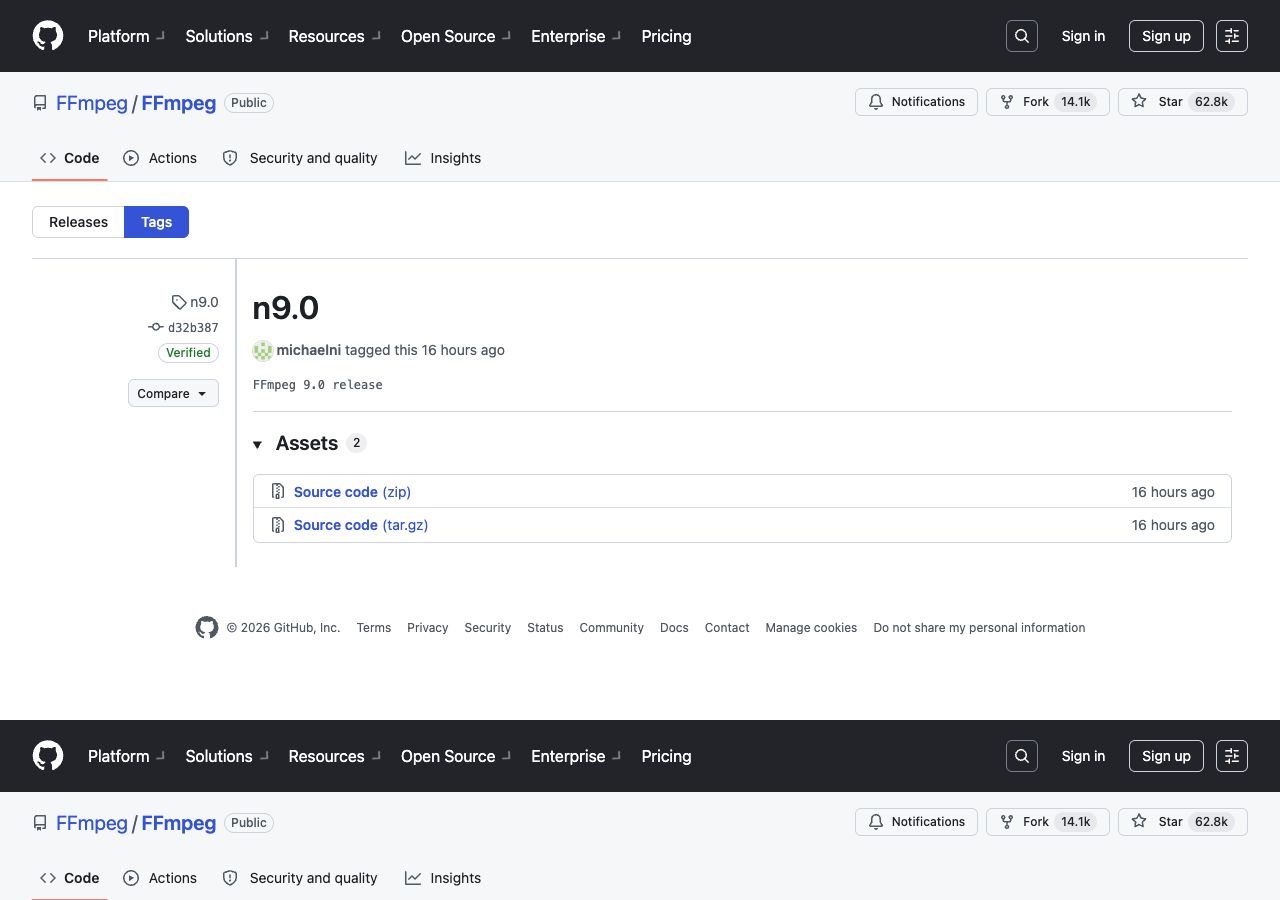
FFmpeg 9.0 has officially been released. This version brings a new set of codecs, containers, filters, and hardware-acceleration improvements. More notably, it carries the codename Lei.
“Lei” is not a codec or hardware platform. It is the English surname of Lei Xiaohua, a Chinese multimedia developer. The codename is a tribute to his contributions to the audio and video community.
What is the status of FFmpeg 9.0?
The official FFmpeg download page lists 9.0 as the latest stable release. In the official Git repository, the corresponding source tag is n9.0.
These names serve different purposes:
- FFmpeg 9.0 is the public release version used by users and distributions;
- n9.0 is the source tag used in the FFmpeg Git repository.
The n does not mean nightly or an experimental build. It follows the naming convention used by FFmpeg source tags.
What are the major updates?
The official changelog groups the main changes around format support, filters, and hardware acceleration.
Container and format support
- MP4 muxing support for LCEVC tracks
- A new Playdate video encoder and muxer
- SMPTE 2094-50 metadata support and passthrough
- A Dolby Vision multilayer HEVC bitstream filter
- Animated WebP decoder and demuxer support
- HE-AAC 960 decoding for DAB+ scenarios
Hardware acceleration and filters
- A new
v360_vulkanfilter - A new
transpose_cudafilter - An AMD AMF Frame Rate Converter filter
- Extended HDR capabilities for the AMF Color Converter
- ProRes RAW VideoToolbox hardware acceleration
- APV Vulkan hardware acceleration
- AMF hardware-memory mapping support
- GPU Execution Provider support through the ONNX Runtime DNN backend
Overall, FFmpeg 9.0 expands support for modern formats, GPU acceleration, and professional video workflows.
Compatibility changes to check
FFmpeg 9.0 also removes or cleans up some older support:
- Standalone CELT decoding support was removed, without affecting CELT inside Opus;
- Ogg/CELT parsing was removed;
- Some deprecated NVENC options were removed;
- Parts of the NVENC support requiring SDK versions older than 11.1 are no longer supported.
Before upgrading, check old NVENC options, standalone CELT decoding, Ogg/CELT parsing, and the external SDK versions used by your build scripts. Common MP4, H.264, H.265, AV1, and AAC workflows should still be tested against the actual build and dependency set.
Why “Lei”?
The name is a tribute to Lei Xiaohua, who made important contributions to the Chinese audio and video developer community. Naming a major FFmpeg release after him gives the technical release a human connection and recognizes the people who help build and share multimedia technology.
Upgrade recommendations
Before upgrading a production environment, record the current version and build configuration:
ffmpeg -version > ffmpeg-version.txt
ffmpeg -buildconf > ffmpeg-buildconf.txt
Then use representative media samples to test command-line options, filters, hardware acceleration, output compatibility, speed, and resource usage. If your application links directly against FFmpeg libraries, also check API changes, header and library versions, SONAME changes, and stale dynamic libraries in the runtime image.
For container deployments, pin a complete version instead of relying on latest:
FROM your-registry/ffmpeg:9.0
This keeps deployments reproducible and makes rollback easier.
Summary
FFmpeg 9.0 is more than a version number. It adds support for new formats and acceleration paths, while removing some obsolete interfaces and dependencies. The “Lei” codename also pays tribute to a Chinese multimedia developer.
When upgrading, verify the actual build configuration, test your real media samples, and pin the release version in production.
References:
Tags
Original Source
https://stable-learn.com/zh/ffmpeg-90-lei-release-and-naming/Copyright Notice
This article is created by WebRTC.link and licensed under CC BY-NC-SA 4.0. This site repost articles will cite the source and author. If you need to repost, please cite the source and author.
Comments
GiscusComments powered by Giscus, based on GitHub Discussions