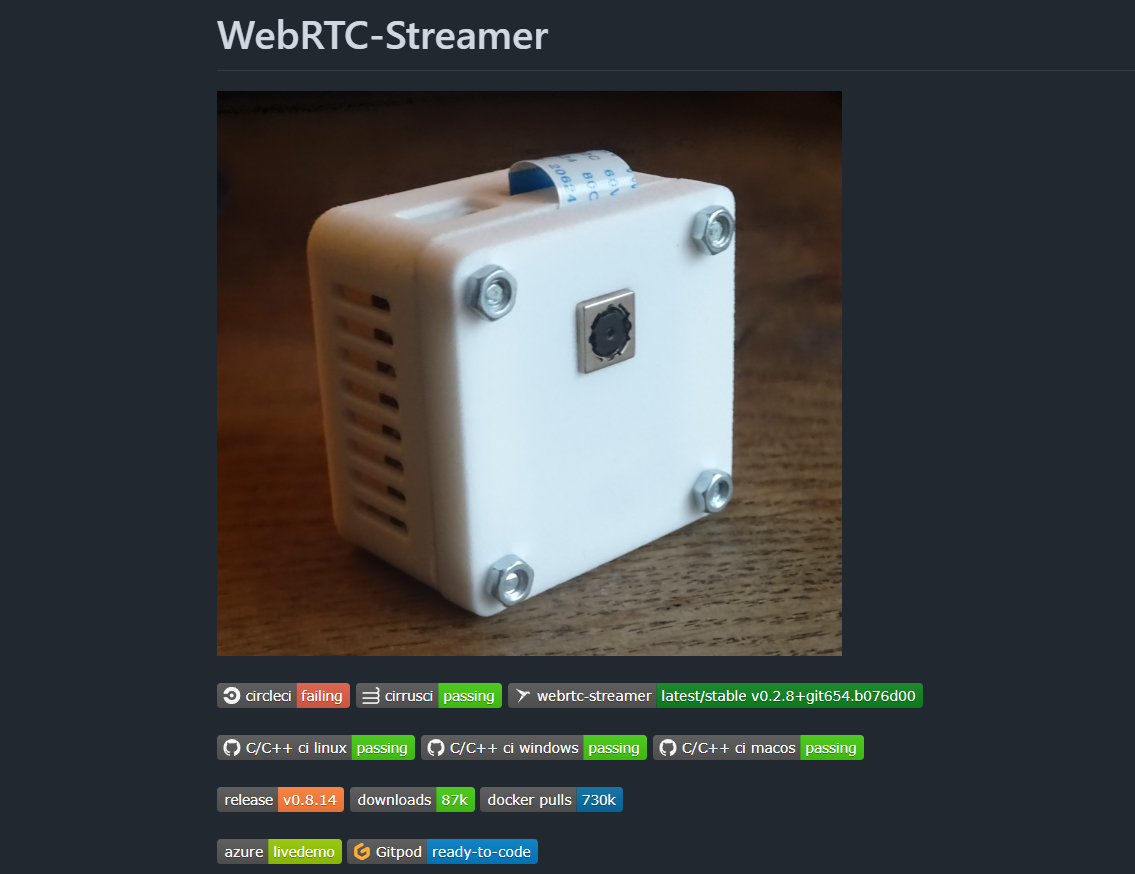
WebRTC-Streamer is a very handy “small but powerful” streaming relay. It can take various media sources (RTSP/RTMP/local capture devices/screen capture, etc.) and convert them to WebRTC for low-latency playback directly in the browser.
This guide focuses on practical usage and answers questions such as:
- What can WebRTC-Streamer do? What scenarios is it good for?
- How to start it quickly via command line or Docker?
- How to convert RTSP camera / local capture into browser-playable WebRTC?
- How to use the built-in STUN/TURN to handle NAT and firewalls?
- How to embed the player into your own pages (HTML, WebComponents, WHEP)?
- How to integrate it with existing WebRTC platforms like Janus or Jitsi?
- What do you need to build WebRTC-Streamer from source?
1. WebRTC-Streamer Overview
1.1 What is WebRTC-Streamer?
You can think of WebRTC-Streamer as:
A tool that takes various media sources (RTSP/RTMP/files/desktop capture/local devices, etc.) and turns them into WebRTC for playback in the browser.
It bundles several pieces together:
- Built-in HTTP server – default
0.0.0.0:8000, serving demo pages and API; - WebRTC media relay logic – pulls RTSP/files/capture devices and pushes them to the browser via WebRTC;
- Optional embedded STUN/TURN server – convenient for NAT scenarios, without deploying extra components;
- Multi-platform support – build pipelines and releases for Linux, Windows and macOS;
- Docker image – ready to run in containers/cloud environments.
1.2 Official Resources
- GitHub repo: https://github.com/mpromonet/webrtc-streamer
- Releases (prebuilt binaries): https://github.com/mpromonet/webrtc-streamer/releases/latest
- Docker Hub image: https://hub.docker.com/r/mpromonet/webrtc-streamer
- WebRTC-Streamer HTML client examples: https://github.com/mpromonet/webrtc-streamer-html
- API doc (signaling interface):
docs/api.mdin the repo
2. CLI Usage and Core Options
The official README provides detailed CLI usage. The basic pattern looks like this:
./webrtc-streamer [OPTION...] [urls...]
Here, urls... are the media sources you want to relay (RTSP/RTMP/files/desktop capture, etc.), and OPTION controls how HTTP/WebRTC/STUN/TURN behave.
2.1 General Options
-h, --help        Print help
-V, --version     Print version
-v, --verbose     Verbosity level (use multiple times for more verbosity)
-C, --config arg  Load streams from JSON config file
-n, --name arg    Register a stream name
-u, --video arg   Video URL for the named stream
-U, --audio arg   Audio URL for the named stream
Typical usage patterns:
- Simple mode – append RTSP/RTMP/file URLs directly on the command line;
- Config mode – define multiple streams in a
config.jsonfile and load them using-C config.json.
2.2 HTTP Server Options
-H, --http arg        HTTP server binding (default 0.0.0.0:8000)
-w, --webroot arg     Path to static files
-c, --cert arg        Path to private key and certificate for HTTPS
-N, --threads arg     Number of threads for HTTP server
-A, --passwd arg      Password file for HTTP basic auth
-D, --domain arg      Authentication domain (default: mydomain.com)
-X, --disable-xframe  Disable X-Frame-Options header
-B, --base-path arg   Base path for HTTP server
Common scenarios:
- Change port only – e.g.
-H 0.0.0.0:9000; - Enable HTTPS – set
-cto a key+certificate file; - Restrict access – use
-Awith a password file and adjust-Dif needed; - Embed in other sites – if you need
<iframe>embedding, use-Xto disable the default X-Frame-Options header.
2.3 WebRTC Options
-m, --maxpc arg         Maximum number of peer connections
-I, --ice-transport arg Set ICE transport type
-T, --turn-server arg   Start embedded TURN server
-t, --turn arg          Use external TURN relay
-S, --stun-server arg   Start embedded STUN server
-s, --stun arg          Use external STUN server
-R, --udp-range arg     Set WebRTC UDP port range
-W, --trials arg        Set WebRTC trials fields
-a, --audio-layer arg   Specify audio capture layer (omit value for dummy audio)
-q, --publish-filter arg Publish filter
-o, --null-codec        Use "null" codec (keep frames encoded)
-b, --plan-b            Use SDP plan-B (default unified plan)
A few important ones:
-S/--stun-server,-T/--turn-server:- Run a simple embedded STUN/TURN server inside the same process – handy for labs and small deployments.
-s/--stun,-t/--turn:- Use external STUN/TURN servers, e.g. your self-hosted coturn instance.
-R/--udp-range:- Constrain the UDP port range used by WebRTC, which makes firewall rules easier.
-o/--null-codec:- Keep video frames in their encoded form (
kNative), no re-encoding. This reduces CPU usage, but features like resize and bandwidth adaptation are limited.
- Keep video frames in their encoded form (
2.4 Supported Media URL Schemes
The README lists supported URL schemes and their capture mechanisms:
rtsp://– RTSP/MKV capturer based on live555;file://– read from media files (e.g. MKV);rmtp://– RTMP source captured via librtmp;screen://– full screen capture;window://– window capture;v4l2://– capture H264 from V4L2 devices on Linux (not supported on Windows);videocap://– local video capture devices;audiocap://– local audio capture devices;- plus any named streams registered via
-n name -u url.
A typical use case is playing an RTSP camera in the browser – you just supply the
rtsp://URL.
2.5 Minimal Example: Start from a Config File
./webrtc-streamer -C config.json
- Put multiple streams and their names into
config.json; - On the browser side, use the official
webrtcstreamer.htmlpage and select streams via URL parameters.
Official demo link (public availability may change over time):
- WebRTC streaming demo page: https://github.com/mpromonet/webrtc-streamer-html/blob/master/webrtcstreamer.html
3. Docker Quick Start
For production or cloud environments, running the Docker image is often the simplest choice.
3.1 Basic Run
docker run -p 8000:8000 -it mpromonet/webrtc-streamer
- Inside the container, WebRTC-Streamer listens on
0.0.0.0:8000; - Mapping this port to the host lets you visit
http://<host-ip>:8000/in the browser.
3.2 Exposing Host Camera (V4L2)
docker run --device=/dev/video0 -p 8000:8000 -it mpromonet/webrtc-streamer
--device=/dev/video0passes the V4L2 capture device from the host to the container;- Then you can access it from WebRTC-Streamer with a
v4l2://URL.
3.3 Show All Options
docker run -p 8000:8000 -it mpromonet/webrtc-streamer --help
This prints webrtc-streamer --help output inside the container, so you can check the latest options quickly.
3.4 Register an RTSP Stream on Startup
docker run -p 8000:8000 -it \
  mpromonet/webrtc-streamer \
  -n raspicam -u rtsp://pi2.local:8554/unicast
-n raspicamregisters a stream namedraspicam;-uspecifies the RTSP URL for that stream;- The browser can then reference that stream name.
3.5 Mounting a config.json
docker run -p 8000:8000 \
  -v $PWD/config.json:/usr/local/share/webrtc-streamer/config.json \
  mpromonet/webrtc-streamer
- Mount a local
config.jsonto the default path inside the container; - The configuration will be loaded at startup.
3.6 Using Host Network Mode
docker run --net host mpromonet/webrtc-streamer
- Share the host network namespace;
- Useful when you need to access local multicast, specific port mappings, or complex NAT environments.
In production, consider using a firewall and reverse proxy to control what is exposed, instead of simply exposing everything via host networking.
4. Built-in STUN/TURN for NAT Environments
In complex networks (NAT/firewalls), establishing WebRTC connections typically requires STUN and sometimes TURN servers.
WebRTC-Streamer can run embedded STUN/TURN servers in the same process, which reduces external dependencies.
4.1 Starting Embedded STUN/TURN
The README shows several combinations:
# Start embedded STUN and advertise the public IP
./webrtc-streamer --stun-server=0.0.0.0:3478 --stun=$(curl -s ifconfig.me):3478

# Start embedded TURN only
./webrtc-streamer --stun=- --turn-server=0.0.0.0:3478 -tturn:turn@$(curl -s ifconfig.me):3478

# Start embedded STUN + TURN simultaneously
./webrtc-streamer \
  --stun-server=0.0.0.0:3478 --stun=$(curl -s ifconfig.me):3478 \
  --turn-server=0.0.0.0:3479 --turn=turn:turn@$(curl -s ifconfig.me):3479
Here:
--stun-server=0.0.0.0:3478– listen for STUN requests on port 3478;--stun=$(curl -s ifconfig.me):3478– advertise your public IP and port to clients;--turn-server=0.0.0.0:3478– start a TURN server on the local host;-tturn:turn@PUBLIC_IP:PORT– TURN URL used by clients, with usernameturnand passwordturn.
curl -s ifconfig.meis just a quick way to get your public IP. You can also hardcode the IP instead.
4.2 Using UPnP for Port Mapping
If your router supports UPnP, you can use upnpc to map ports automatically:
upnpc -r 8000 tcp 3478 tcp 3478 udp
- Map HTTP port 8000 (TCP);
- Map STUN port 3478 (TCP/UDP);
- Adjust ports according to your actual deployment.
5. Embedding WebRTC-Streamer into Your Own Pages
WebRTC-Streamer does not force you to use its internal HTTP pages. You can:
- Serve your own frontend with any web server (Nginx, Node.js, etc.);
- Call WebRTC-Streamer’s API from that frontend to implement a custom UI/logic;
- Use the provided JS library
webrtcstreamer.jsor the WebComponent wrapper.
5.1 Embedding WebRTC Playback in Custom HTML
The core idea is to create a WebRtcStreamer instance, and tell it:
- Which
<video>element to render to; - Where your WebRTC-Streamer server is;
- Which stream URL to play (e.g. an RTSP URL).
Example:
<html>
<head>
  <script src="libs/adapter.min.js"></script>
  <script src="webrtcstreamer.js"></script>
  <script>
    // Connect to webrtc-streamer and pull an RTSP stream once the page loads
    var webRtcServer = null;
    window.onload = function () {
      webRtcServer = new WebRtcStreamer(
        "video",
        location.protocol + "//" + location.hostname + ":8000" // webrtc-streamer url
      );
      webRtcServer.connect(
        "rtsp://196.21.92.82/axis-media/media.amp",
        "",
        "rtptransport=tcp&timeout=60"
      );
    };
    window.onbeforeunload = function () {
      if (webRtcServer) webRtcServer.disconnect();
    };
  </script>
</head>
<body>
  <video id="video" muted playsinline></video>
</body>
</html>
You can host this HTML page with any HTTP server, as long as it can reach the WebRTC-Streamer instance.
5.2 Using the WebComponents Wrapper
WebRTC-Streamer also provides a custom element <webrtc-streamer> for easier integration:
<html>
<head>
  <script type="module" src="webrtc-streamer-element.js"></script>
</head>
<body>
  <!-- url points to the RTSP source you want to play -->
  <webrtc-streamer url="rtsp://wowzaec2demo.streamlock.net/vod/mp4:BigBuckBunny_115k.mov"></webrtc-streamer>
</body>
</html>
The repo also includes examples for:
- A WebComponent with a stream selector;
- A WebComponent over a Google Map.
You can customize the UI based on these examples.
5.3 Using WHEP for Playback
WebRTC-Streamer supports the draft standard WHEP (WebRTC-HTTP Egress Protocol), which makes it easy to interoperate with other WebRTC players.
Example using Eyevinn’s whep-video component:
<html>
<head>
  <script src="https://unpkg.com/@eyevinn/whep-video-component@latest/dist/whep-video.component.js"></script>
</head>
<body>
  <whep-video id="video" muted autoplay></whep-video>
  <script>
    // Play a WebRTC-Streamer stream via WHEP
    video.setAttribute(
      "src",
      `${location.origin}/api/whep?url=Asahi&options=rtptransport%3dtcp%26timeout%3d60`
    );
  </script>
</body>
</html>
Here, url=Asahi is the stream name, and options contains URL-encoded connection options.
6. Integrating with Janus/Jitsi and Other WebRTC Platforms
If you already have a WebRTC platform like Janus Gateway or Jitsi, you can use WebRTC-Streamer as a media source provider, while those platforms handle room management, multi-party sessions, and recording.
6.1 Publishing Streams into a Janus Video Room
WebRTC-Streamer provides a JanusVideoRoom JavaScript helper to connect to a Janus video room and publish streams via WebRTC-Streamer.
Browser-side example:
<html>
<head>
  <script src="janusvideoroom.js"></script>
  <script>
    // Connect to a Janus video room and publish two RTSP streams
    var janus = new JanusVideoRoom("https://janus.conf.meetecho.com/janus", null);
    janus.join(1234, "rtsp://pi2.local:8554/unicast", "pi2");
    janus.join(1234, "rtsp://wowzaec2demo.streamlock.net/vod/mp4:BigBuckBunny_115k.mov", "media");
  </script>
</head>
</html>
1234is the room ID;- The RTSP URLs are pulled and published by WebRTC-Streamer;
"pi2"and"media"are tags you assign locally.
The same logic can be used in Node.js using the same JS API, together with libraries like then-request.
6.2 Publishing into a Jitsi Room
For Jitsi (XMPP-based), there is an XMPPVideoRoom helper:
<html>
<head>
  <script src="libs/strophe.min.js"></script>
  <script src="libs/strophe.muc.min.js"></script>
  <script src="libs/strophe.disco.min.js"></script>
  <script src="libs/strophe.jingle.sdp.js"></script>
  <script src="libs/jquery-3.5.1.min.js"></script>
  <script src="xmppvideoroom.js"></script>
  <script>
    // Push an RTSP source as a WebRTC stream into a Jitsi room
    var xmpp = new XMPPVideoRoom("meet.jit.si", null);
    xmpp.join(
      "testroom",
      "rtsp://wowzaec2demo.streamlock.net/vod/mp4:BigBuckBunny_115k.mov",
      "Bunny"
    );
  </script>
</head>
</html>
This way, your camera/RTSP stream becomes a WebRTC stream and appears in the Jitsi room as a virtual participant.
7. Dependencies and Building from Source
If you need to build WebRTC-Streamer from source (for example, to tweak build options or integrate with a specific WebRTC version), the README provides a short build guide.
7.1 Main Dependencies
- WebRTC Native Code Package (from the Chromium project);
- civetweb as the HTTP server;
- live555 for RTSP/MKV sources;
- Plus CMake and a C/C++ toolchain.
7.2 Build Steps (Overview)
-
Install Chromium depot tools:
pushd .. git clone https://chromium.googlesource.com/chromium/tools/depot_tools.git export PATH=$PATH:`realpath depot_tools` popd -
Download WebRTC sources:
mkdir ../webrtc pushd ../webrtc fetch webrtc popd -
Build WebRTC-Streamer:
cmake . && make
You can configure WebRTC-Streamer via CMake variables:
WEBRTCROOT– path to the WebRTC source (typically../webrtc);WEBRTCDESKTOPCAPTURE– enable/disable desktop capture (defaultON).
Because the WebRTC source tree is quite large and has many dependencies, it’s usually easier to start with the official releases or Docker images, and only build from source when you have specific customization needs.
7.3 CI Pipelines and Multi-platform Builds
The project has CI pipelines on:
- CircleCI;
- CirrusCI;
- GitHub Actions.
They build for multiple targets:
- Ubuntu x86_64;
- Various ARM cross builds (Raspberry Pi, NanoPi, etc.);
- Windows x64 (clang);
- macOS.
This means you can often grab suitable binaries from Releases directly, without maintaining your own cross compilation setup.
8. Practical Scenarios and Tips
8.1 Play an RTSP Camera in the Browser (Single Machine)
- Who is this for? – developers who want to quickly validate that a camera stream can be viewed in the browser.
- Steps:
- Start WebRTC-Streamer on your machine or on a LAN host;
- Register an RTSP stream via
-n/-u, or just pass thertsp://URL directly; - Open the official HTML example or your own page and connect to that stream;
- If playback fails, check:
- Whether the HTTP endpoint is reachable;
- Browser console and network errors;
- Whether the RTSP URL works in tools like VLC.
8.2 Multi-Channel RTSP → WebRTC Gateway via Docker
- Who is this for? – teams who want to manage multiple cameras on a server and expose them as WebRTC streams to frontends.
- Recommendations:
- Use Docker +
config.jsonto manage multiple streams; - Use
--net hostor explicit port mappings as needed; - Put a reverse proxy (Nginx/Caddy, etc.) in front for HTTPS and domains;
- Configure external STUN/TURN servers to improve connectivity in complex networks.
- Use Docker +
8.3 Integration with Janus/Jitsi for Multi-party Conferencing and Dashboards
- WebRTC-Streamer focuses on pulling various sources → converting to WebRTC;
- Janus/Jitsi provide room management, multi-party conferencing and recording;
- With the
JanusVideoRoom/XMPPVideoRoomhelpers, you can inject RTSP/camera streams into rooms as virtual participants, which is useful for dashboards, surveillance walls, or hybrid conferencing setups.
9. Summary
WebRTC-Streamer is a relatively small project, but it solves a very real problem:
- Converting traditional streaming inputs (RTSP/RTMP/local capture/screen capture) into browser-playable WebRTC live streams;
- Offering embedded STUN/TURN to lower the deployment barrier in NAT environments;
- Providing multiple integration paths (HTML examples, WebComponents, WHEP) so you can easily plug it into your own frontend;
- Working nicely with WebRTC platforms like Janus and Jitsi to build a more complete real-time media solution.
If your use case is something like “show my RTSP camera feed in the browser” or “push local capture/screen as a WebRTC stream to the frontend”, starting with the Docker image or prebuilt binaries is a great idea. Get the demo running first, then refine your setup using the options and embedding patterns described in this article.
Tags
Copyright Notice
This article is created by WebRTC.link and licensed under CC BY-NC-SA 4.0. This site repost articles will cite the source and author. If you need to repost, please cite the source and author.


Comments
GiscusComments powered by Giscus, based on GitHub Discussions