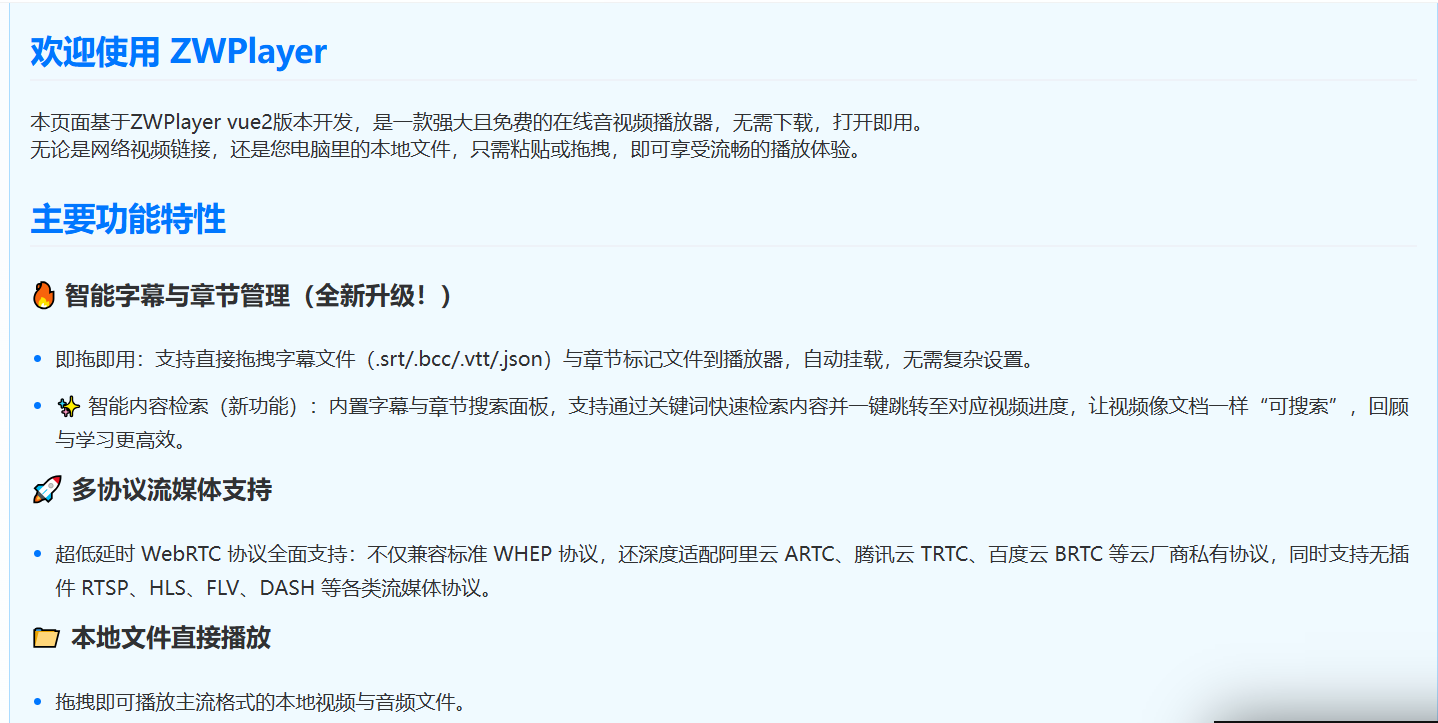
In scenarios like interactive live streaming, online auctions, and security monitoring, WebRTC has become the absolute core of media transmission with its millisecond-level ultra-low latency. However, for frontend developers, dealing with complex SDP exchange, signaling handshakes, and compatibility with various cloud vendors’ proprietary protocols often means high development and maintenance costs. This article introduces ZWPlayer, a rising star in the frontend streaming community, and analyzes how it reduces WebRTC integration costs to “one line of code” through its “intelligent routing” architecture.
I. Pain Points: WebRTC is Great, But Integration is “Heavy”
For streaming developers, upgrading from traditional HLS or FLV to WebRTC is a revolutionary experience (latency drops from 5-10 seconds to under 500ms). However, when implementing it in frontend projects, developers often face numerous challenges:
Complex Signaling Layer: Standard WebRTC playback requires developers to establish WebSocket connections themselves and handle Offer/Answer SDP exchange, which is extremely complex.
Fragmented Protocol Stack: Besides the standard WHEP protocol, domestic cloud vendors often promote their own variants, such as Alibaba Cloud’s ARTC and Tencent Cloud’s TRTC. To be compatible with different providers, frontends often need to introduce large and incompatible vendor SDKs.
Multi-Protocol Integration Nightmare: In real business scenarios, to ensure high availability, you often need “WebRTC for live streaming, HLS for playback, FLV as fallback”. Managing multiple underlying decoders on the same page (maintaining WebRTC SDK, hls.js, and flv.js simultaneously) leads to severe “plugin hell” and code bloat.
Facing these pain points, ZWPlayer proposes a new “subtraction” approach.
II. ZWPlayer’s WebRTC Matrix: From “Building Blocks” to “Unified Solution”
ZWPlayer is an HTML5 web player featuring the Smart All-in-One philosophy. In its latest version, WebRTC is no longer an “plugin” that needs separate installation, but is deeply integrated into its core intelligent engine.
1. Comprehensive Protocol Matrix Coverage
What surprises developers most about ZWPlayer is that it not only supports the standard WHEP ultra-low latency protocol, but also officially adapts to mainstream domestic cloud vendors’ proprietary streaming protocols:
- Supports webrtc:// standard protocol;
- Supports artc:// (Alibaba Cloud);
- Supports trtc:// (Tencent Cloud);
- Supports brtc:// (Baidu Cloud).
In actual tests, playing WebRTC raw streams through ZWPlayer, end-to-end latency can be stably controlled within 300 milliseconds, even lower than some cameras’ own preview latency, perfectly meeting the needs of PTZ control and strong interactive live streaming.
2. “Foolproof” One-Line Integration
Traditional WebRTC integration requires dozens of lines of code to handle PeerConnection. In ZWPlayer, the underlying engine automatically takes over all signaling interactions and protocol parsing. Developers only need to pass the protocol address to the player:
const player = new ZWPlayer({
    playerElm: 'player-container',
    // ZWPlayer automatically recognizes webrtc:// protocol and starts ultra-low latency engine
    url: 'webrtc://live.example.com/app/stream'
});
This intelligent recognition mechanism greatly reduces frontend integration “entropy”. Whether it’s on-demand .mp4, live .m3u8, or .flv, the calling method in ZWPlayer is completely consistent.
3. Intelligent Routing and Smooth Fallback (High Availability Solution)
In real live streaming environments, users’ browser environments vary greatly. What if the user’s network or browser doesn’t support WebRTC? ZWPlayer provides multi-protocol adaptive functionality. You can pass an object to the url parameter, providing multiple protocol addresses simultaneously. The player will automatically negotiate strategies: if WebRTC is detected as unavailable, it will automatically and seamlessly fall back to FLV or HLS, completely transparent to developers.
const player = new ZWPlayer({
    playerElm: 'player-container',
    isLive: true,
    url: {
        rtc: 'webrtc://live.example.com/app/stream', // First choice: WebRTC ultra-low latency
        httpflv: 'http://live.example.com/app/stream.flv', // Fallback option 1
        hls: 'http://live.example.com/app/stream.m3u8'  // Fallback option 2
    }
});
III. “Geek” Experience Built for Interactive Live Streaming
Besides hardcore underlying communication capabilities, ZWPlayer also equips WebRTC live streaming scenarios with rich out-of-the-box UX features:
Built-in Danmaku System: ZWPlayer has a complete built-in danmaku rendering engine and input UI. Developers no longer need to find third-party danmaku plugins. Just bind receive and send callbacks to quickly implement thousands of simultaneous on-screen interactions.
Frontend Pure Recording: When viewers watch WebRTC live streams and encounter exciting moments, they can click the “record” button to directly capture the current live stream (or extract audio only) in the browser frontend and download as MP4/M4A, consuming no server resources throughout the process.
Native Mobile Feel: For mobile viewing experience, ZWPlayer introduces interaction logic similar to mainstream short video apps. Users only need to long-press the screen to achieve 2x fast-forward, release to restore original speed, greatly enhancing touchscreen operation satisfaction.
IV. Summary
The maturity of WebRTC technology has brought infinite possibilities for real-time audio and video, but the complexity of frontend toolchains often deters many teams. ZWPlayer’s greatest value lies in “smoothing protocol differences”. It encapsulates the profound WebRTC signaling, fallback strategies, and cloud vendor proprietary protocols into an extremely simple URL parameter. If your team is building online education, monitoring dashboards, or live streaming platforms based on WebRTC and wants to escape the “plugin hell” caused by various SDK conflicts, then the completely free ZWPlayer is undoubtedly an efficient tool for underlying architecture selection.
Related Resources
ZWPlayer Online Demo: https://www.zwplayer.com/zh/videoplayer.html
Tags
Copyright Notice
This article is created by chenfan and licensed under CC BY-NC-SA 4.0. This site repost articles will cite the source and author. If you need to repost, please cite the source and author.


Comments
GiscusComments powered by Giscus, based on GitHub Discussions